Skip to content
Personal hosting. A great start.What our customers say Read our Google reviews
Client portal ↗Log in ↗

General

How do I sync my calendar on iOS?

1 min read

Unfortunately, no support is provided on the calendar function and this manual is only intended to set it up.

By syncing your calendar you can view the same calendar on all devices. You never miss an appointment:)

Step 1. Open the Settings
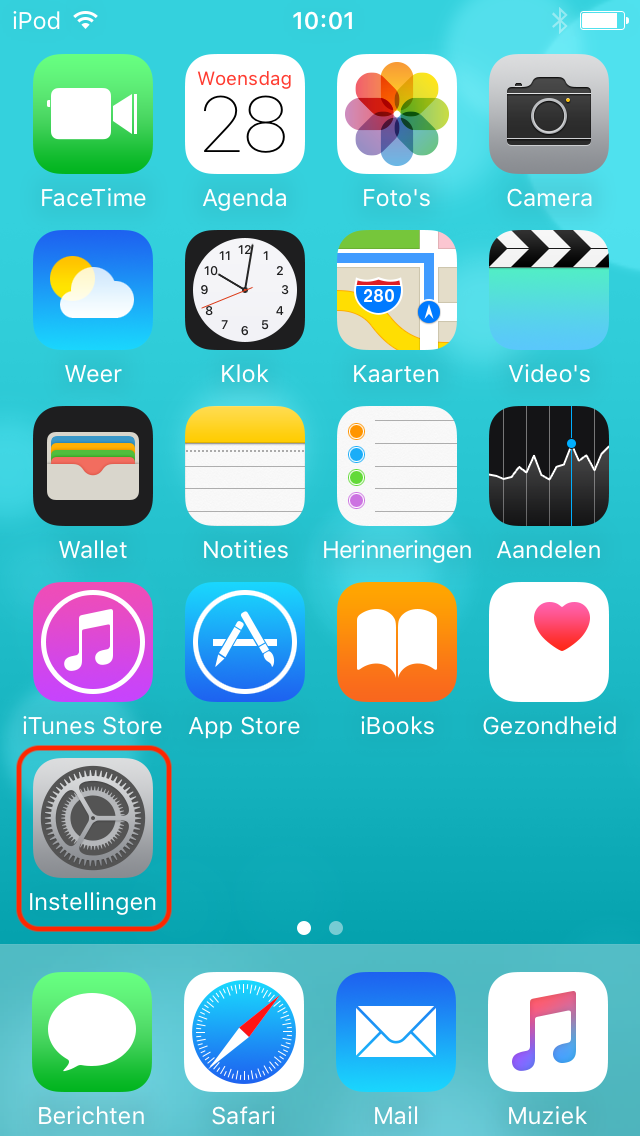
Beginscherm van een oudere iOS-versie met de app Instellingen gemarkeerd.


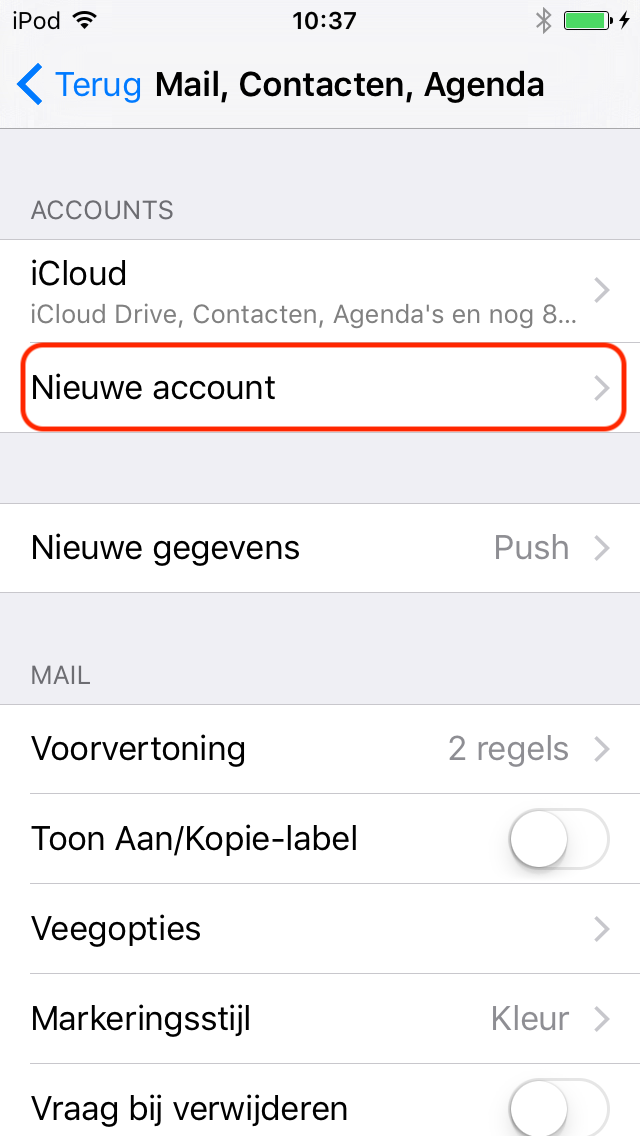
Step 2. Go to Mail, Contacts, Calendar
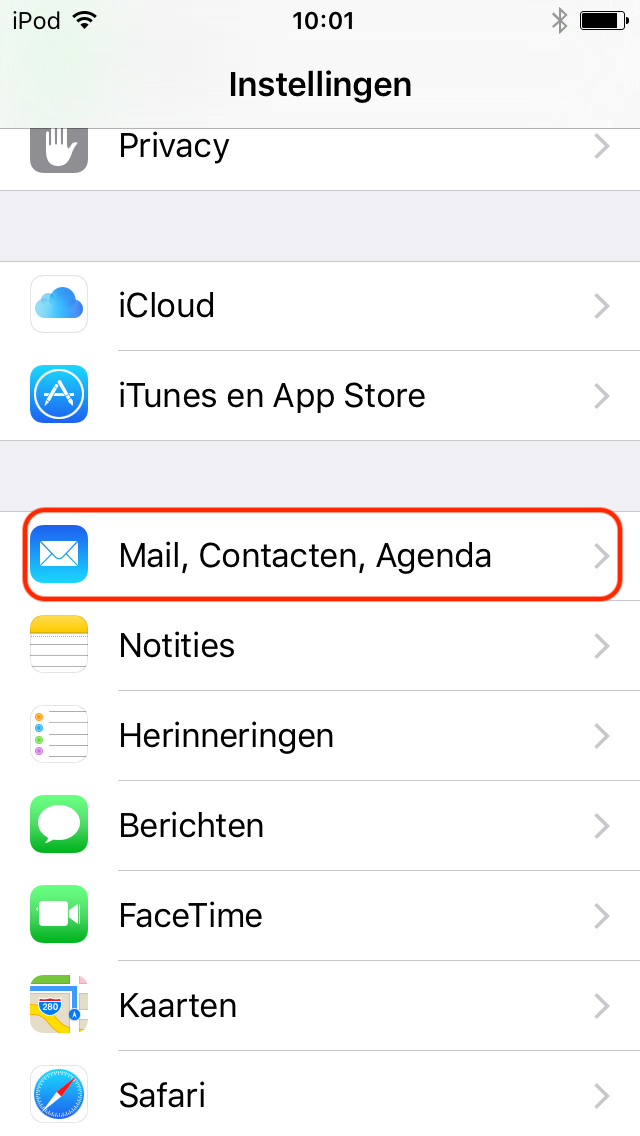
Schermafbeelding 2 bij de handleiding Hoe synchroniseer ik mijn agenda op IOS? 

Step 3. Click New Account

Schermafbeelding 3 bij de handleiding Hoe synchroniseer ik mijn agenda op IOS?


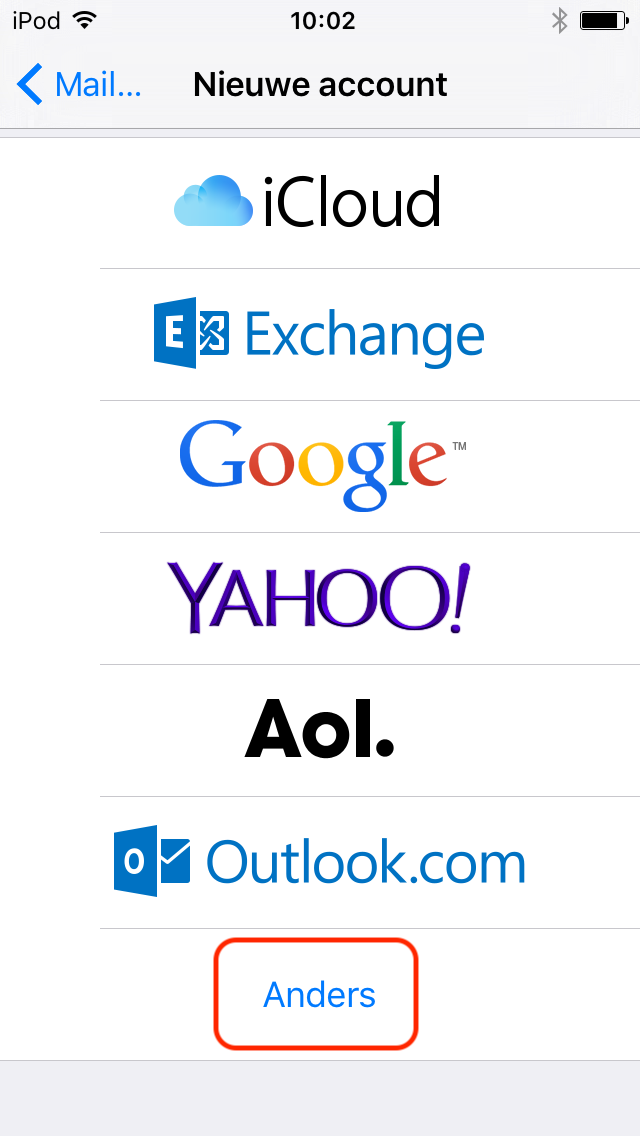
Step 4. Click Other

Schermafbeelding 4 bij de handleiding Hoe synchroniseer ik mijn agenda op IOS?


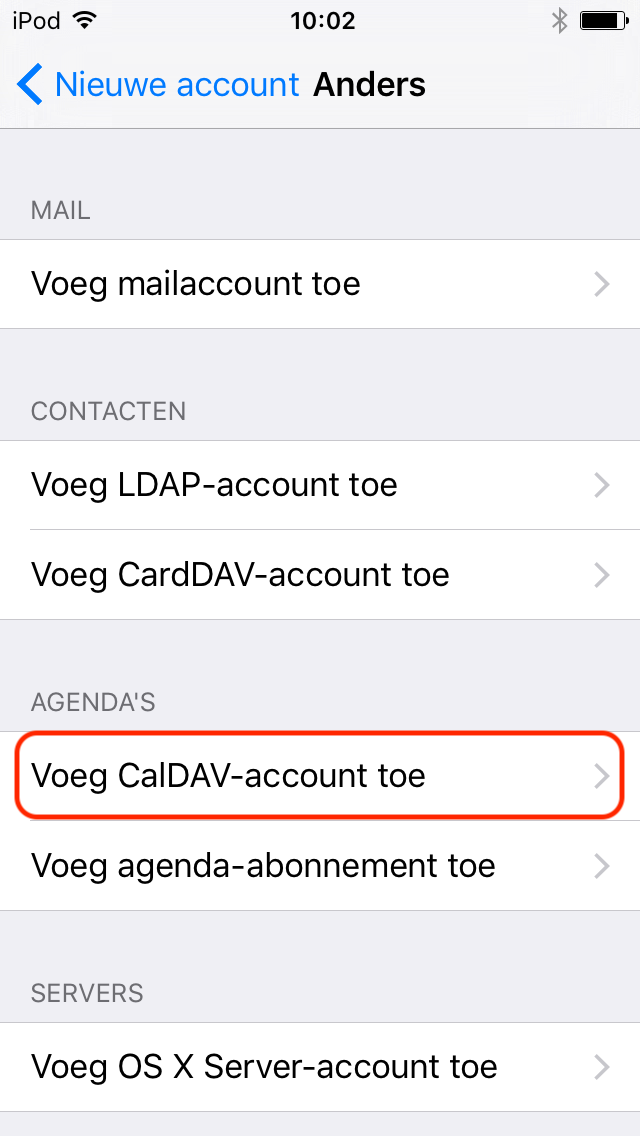
Step 5. Choose Add CalDAV Account

Schermafbeelding 5 bij de handleiding Hoe synchroniseer ik mijn agenda op IOS?


Step 6. Please fill in the following details:
Server: https://mail.domain.nl:2080 (replace domain.nl here by your own domain)
Username: The mail address
Password: The password of the mail address
Description: Enter a name of the calendar here

Click Here Store
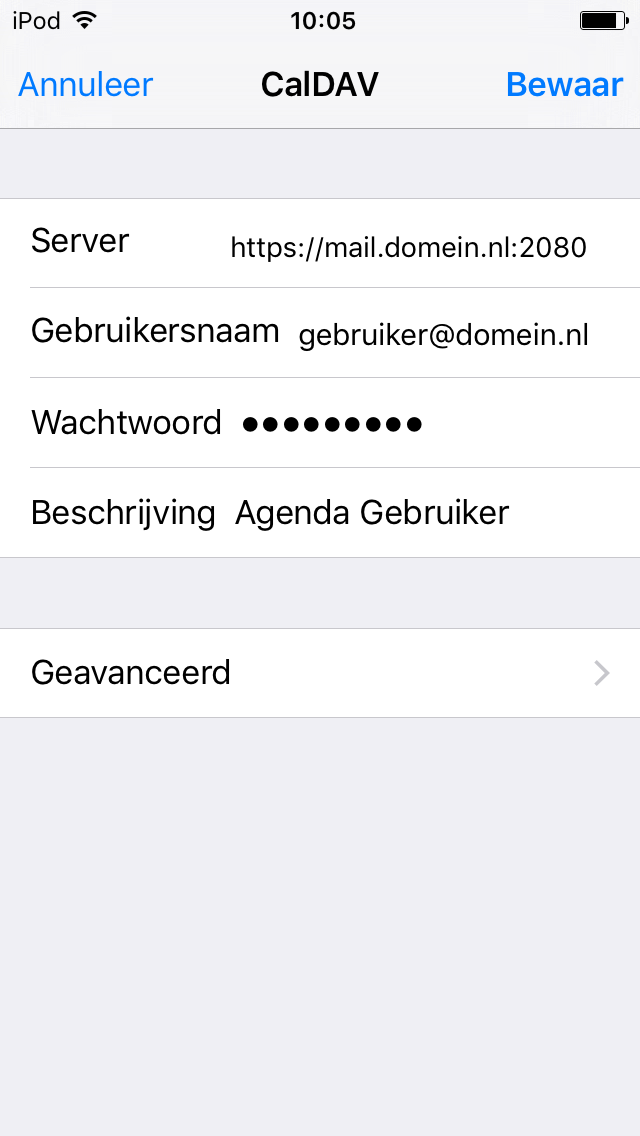
Schermafbeelding 6 bij de handleiding Hoe synchroniseer ik mijn agenda op IOS?


Step 7. Click on this button again Store
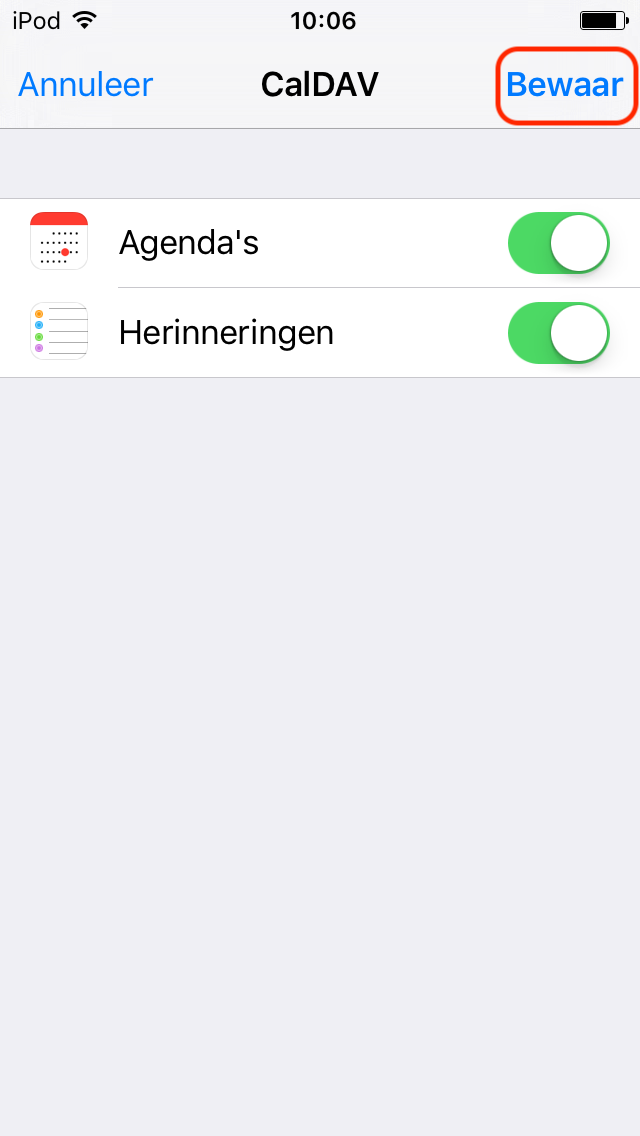
Schermafbeelding 7 bij de handleiding Hoe synchroniseer ik mijn agenda op IOS?


Step 8. Open the calendar app and press the plus sign
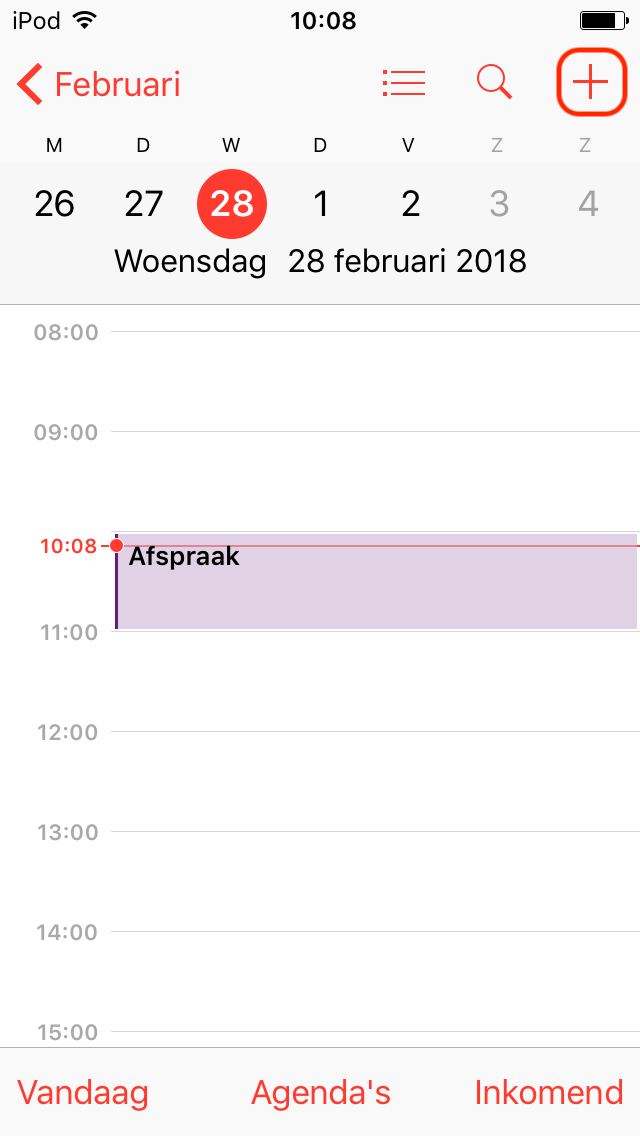
Schermafbeelding 8 bij de handleiding Hoe synchroniseer ik mijn agenda op IOS?


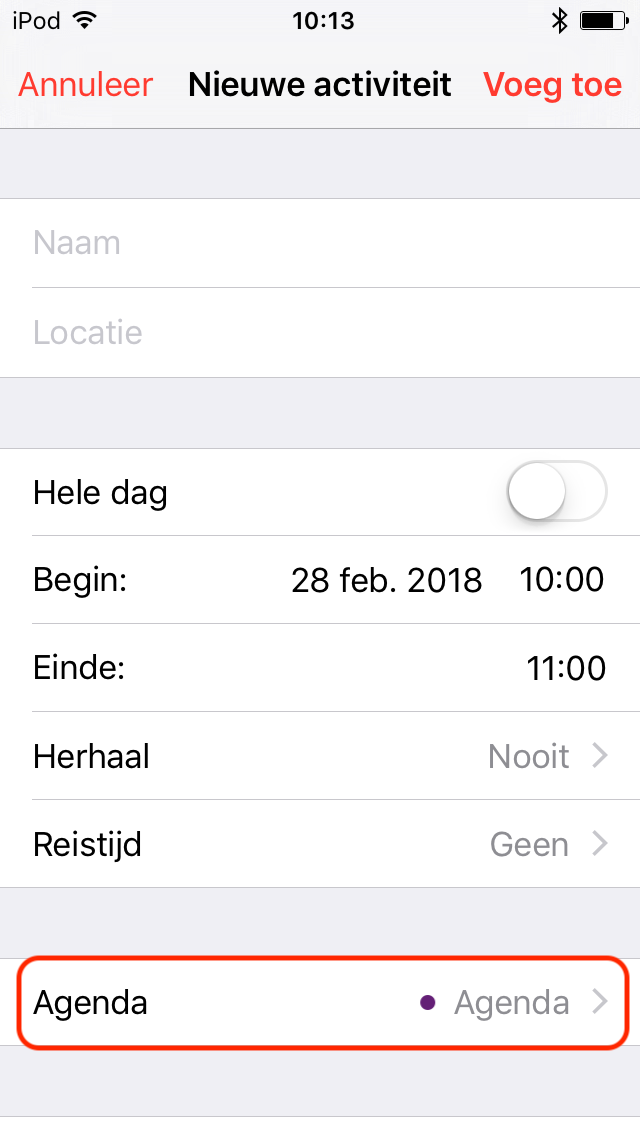
Step 9. Click Calendar

Schermafbeelding 9 bij de handleiding Hoe synchroniseer ik mijn agenda op IOS?


Step 10. Select the right calendar to sync with
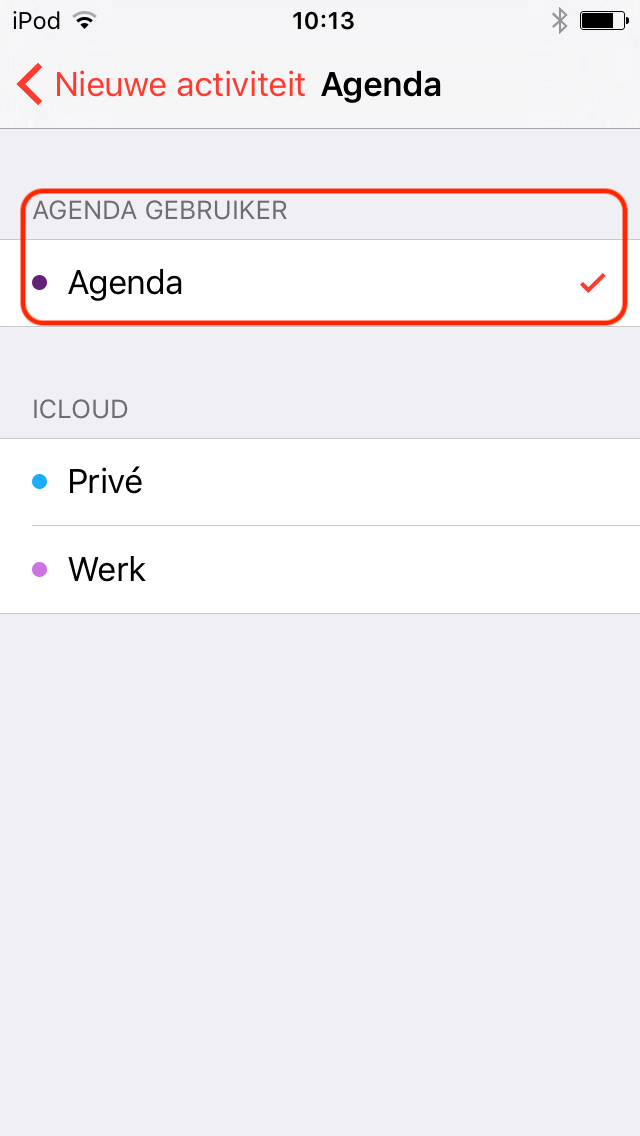
Schermafbeelding 10 bij de handleiding Hoe synchroniseer ik mijn agenda op IOS?

The calendar now sync to the server

Did this guide help you?

Your feedback helps us improve the knowledge base.

0 people found this article helpful.

Still need help?

Tell us which step you are stuck on and mention this guide. Never send passwords.

WhatsAppCookie settings

You can always change your preferences later via the footer.

Privacy policy

Personal help with your plans

How can we help you?

Choose a topic. We'll help you find the right solution.
Please don't include passwords, payment details or other login credentials.